collecting staff party photos
Material for next year, without the WeTransfer hassle
After a good party the evidence is spread across a hundred phones. One QR on the tables and on the sign by the door, and all of it comes in at full resolution: usable for your intranet, your socials and next year's invitation.
€34.95 one-off · invoice with VAT · unlimited guests

per part of the evening
One album per part of the programme
Handy when you go looking later: the video of the director's speech is not mixed in with the dance floor.
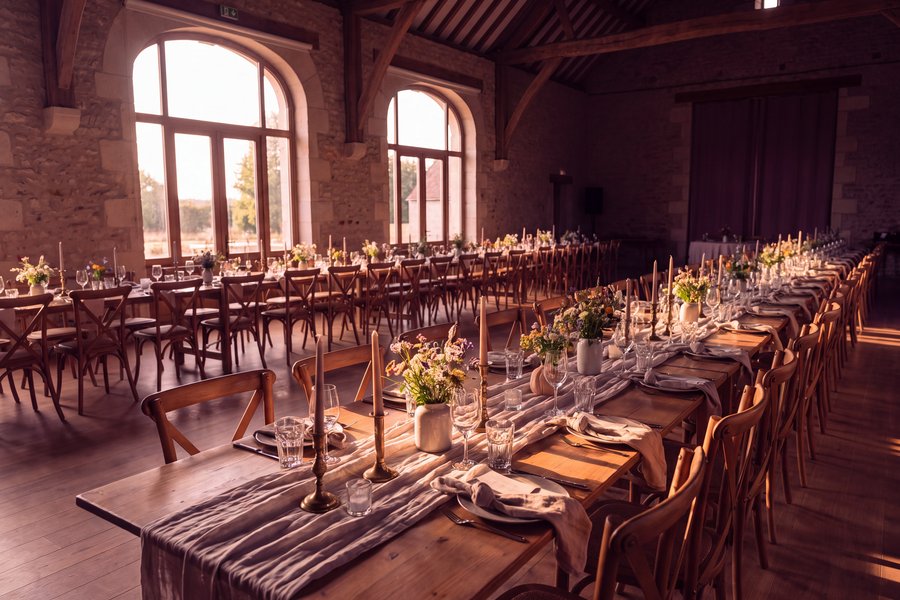
The room before the first guest walks in.

Tables, conversations, who sat next to whom.

What colleagues are still talking about afterwards.

Where the real team feeling is.
What you set differently for a staff party
You carry a different responsibility here than at a private party: this is about colleagues, and an employer is watching.
Approval
onYou see every photo before it enters the album. At a staff party that is not a luxury but policy: nobody appears without someone having looked first.
Your own logo and colours
PremiumYour logo on the guest page, your colours and your typeface. The page you send round looks like an internal channel rather than an outside tool.
Invoiced to the company
onA one-off amount, VAT listed separately and in the organisation's name. No subscription quietly renewing next year, so no conversation with procurement.
the screen your colleagues get
What a colleague sees after scanning the QR on the table
No install, no login, no personal details. They pick the part of the programme and add their photos; you decide what becomes visible afterwards.


The same guest screen as elsewhere on the site, filled with a staff party's albums.
how to run it
How to handle the photos of the staff party, GDPR included
At a company party the photos are not just fun but a responsibility: they are colleagues, and not everyone wants to be on the intranet. This is the setup that brings the photos in and keeps them tidy.
Say it beforehand, in one line in the invitation
Put in the invitation that photos are being collected, where they end up and who can see them. That is not just polite, it is the first thing the GDPR asks of you: to inform. One line is enough, with the same text on the card at the entrance.
Create the album as soon as the date is set. The QR code stays the same, so it can go in the invitation, on the posters and on the sign by the cloakroom. The 180 days of your package start when you publish, not when you order.
Approval on, and someone to do it
At a staff party you turn approval on. Every photo then comes to the organiser first and is only in the album after one tap. Nobody appears without someone having looked, and a photo that does not belong, the colleague who went a bit too far, simply does not get in.
Agree who does it. The page is tied to one account, and that account can share its login with a colleague who keeps their phone handy at the party. Ten photos at a time, between two conversations; whatever you do not look at waits until Monday.
Your own logo and colours, invoice to the company
The page you send around carries your logo, your colours and your typeface, so it looks like an internal channel and not an external tool. That is the package this page names, for €34.95, once, no subscription.
You pay with an invoice in the organisation's name, VAT shown separately, and you find it under Invoices. No colleague's credit card to be claimed back later.
The screen in the room, and why nothing is on the internet
Put the slideshow on the projector or on a television by the bar. Every approved photo appears there, and that is what makes the next table pick up their phones. Whoever sees their own photo sends three more.
The album itself can only be seen by whoever has the link. Nothing is public, nothing is findable through Google, and every link to a file is signed and expires by itself. The photos are stored on servers in the EU. Whoever forwards the link outside gives nobody access forever.
Afterwards: download, put on the intranet, clean up
Photos keep arriving for days after the party, so leave the album open for two weeks and send one message with the link after a few days. Then download everything as one zip at full resolution, sorted per album, and put the selection on the intranet or in the newsletter.
What you no longer need, you clean up. Photos can be deleted one by one or all at once, and after the 180 days the album closes to guests by itself. That is the side of the GDPR most organisations skip: not keeping things longer than needed.
What organisers ask us
Can we simply publish photos of colleagues?
That stays your call, but the tool helps. Switch approval on and nothing is visible without you having seen it. A guest can ask for their own upload to be removed and you can take any photo down. Say in the invitation that photos will be taken, and everybody knows where they stand.
Do we get an invoice with VAT?
Yes. At checkout you enter the company name and address and get an invoice with VAT listed separately. It is one amount and not a subscription, so nothing renews quietly next year.
Where are the photos stored?
On servers in the EU. Every link to a file is signed and expires by itself, so a forwarded URL does not stay open forever. Once the term runs out the album closes for your guests; what is in it stays yours.
Can several colleagues manage it?
Not with separate accounts yet. Today one account manages the page and that account can share the login with a colleague. Multiple administrators is on the list and will land in every package, at no extra cost.
Do colleagues have to give consent beforehand?
There is no one-sentence answer to that, and we will not pretend there is. What always helps: say beforehand that photos are being collected and where they end up, turn approval on so nothing becomes visible before someone has looked at it, and remove a photo as soon as a colleague asks. The longer reasoning is in our article on the GDPR at the company party.
Can we keep the photos internal, off the open internet?
Yes. The album can only be seen by whoever has the link; nothing is public or findable through Google. Every link to a file is signed and expires by itself. If you want it fully closed afterwards, close the album and download the zip for the intranet.
Does it work for a Christmas drinks or a team outing too?
Yes, exactly the same. Every event gets its own album with its own link; the Christmas drinks are one, the team outing in June a second. For Christmas drinks the photos usually have to stay within the organisation, and with the link-only setup that is the default.
How long do you keep the photos after the party?
As long as your package runs, 180 days on the package this page names, counted from the moment you publish. After that the album closes and what is in it stays yours to download. Cleaning up earlier is always possible yourself; so is extending.
Set the page up and print the cards for the tables
You can try it free first. One amount, invoice in the name of the organisation.
Fewer than ten photos from guests?
money back, we mail you